Essential Software Features for Small Business Owners
Finding the best Software Features for Small Business Owners often feels like a balancing act between having enough power to grow and keeping things simple enough to manage. You need tools that automate the tedious parts of your day without requiring a degree in computer science to operate. The most critical features you should prioritize are automated invoicing, real-time expense tracking, multi-channel customer communication, and centralized project dashboards.
These four pillars allow you to move from reactive firefighting to proactive growth. By focusing on these core capabilities, you ensure that your technology stack works for you rather than becoming another task on your to-do list.
Automated Invoicing and Payment Processing
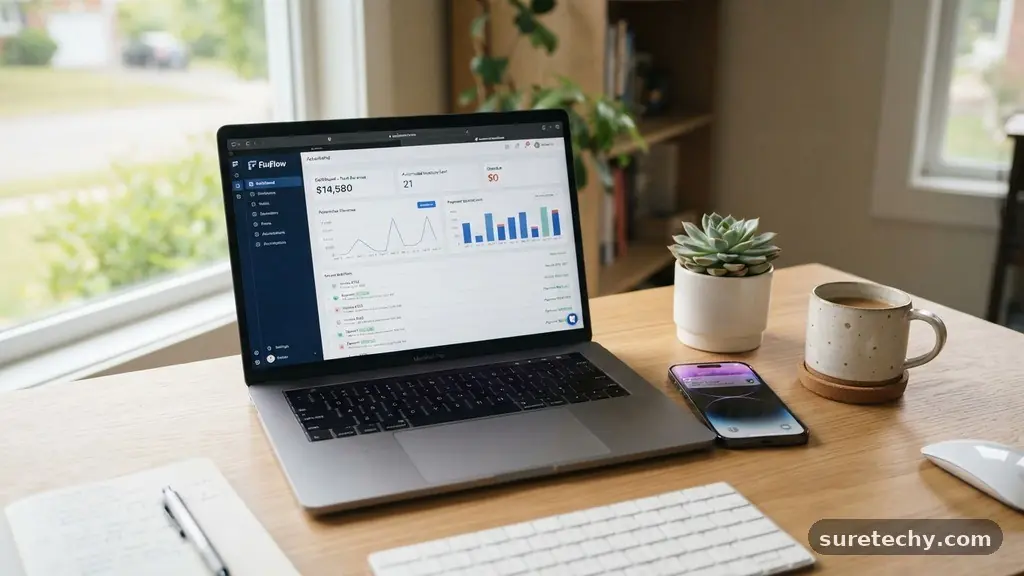
Cash flow is the lifeblood of any small business, and manual billing is the fastest way to choke it. The best software features for small business owners include robust, automated invoicing that triggers reminders before a payment is even due. When your software automatically sends follow-up emails to clients with outstanding balances, you reclaim hours of administrative time each week.
Integration with payment gateways is equally vital for maintaining a healthy balance sheet. Look for platforms that allow customers to pay directly from the invoice via credit card, ACH transfer, or digital wallets like Apple Pay. This reduces friction in the payment cycle and significantly shortens the time between delivering a service and receiving the funds in your bank account.
Many modern systems also offer recurring billing options. If you operate on a subscription or retainer model, setting up automated billing once saves you from having to chase clients every month. This feature provides predictable revenue, which is essential for planning future investments or hiring new staff.
Real-Time Expense Tracking and Reporting
Keeping your books in order is not just about tax compliance; it is about knowing exactly where your money goes. You should seek software that allows you to scan receipts directly via a mobile app. This feature ensures that you never lose a deductible expense simply because a paper slip went missing in your wallet.
Real-time reporting provides a snapshot of your business health at any given moment. You need to see your profit and loss, cash flow, and tax liabilities without waiting for an accountant to generate a month-end report. This visibility allows you to make informed decisions about spending, such as knowing when you can afford to purchase new inventory or invest in a marketing campaign.
For those interested in the technical standards of financial reporting, the International Financial Reporting Standards Foundation offers extensive documentation on how global business entities approach these records. While your small business may not need the full IFRS treatment, understanding these principles helps you maintain professional-grade books. Using software that aligns with standard accounting practices makes scaling your business much easier down the road.
Centralized Project Management Dashboards
When you are juggling multiple clients and deadlines, a centralized dashboard becomes your command center. The most effective project management features allow you to visualize tasks through various lenses, such as Kanban boards, lists, or Gantt charts. This flexibility ensures that you can track progress regardless of your personal organizational style.
Collaboration tools within these dashboards are essential for teams, even if that team is currently just you and a few contractors. You need the ability to attach files directly to tasks, set clear deadlines, and assign responsibilities to prevent things from slipping through the cracks. When everyone on the project can see the current status of a deliverable, you eliminate the need for endless “status update” emails.
Time tracking is another feature that should be native to your project management suite. By logging time directly against specific tasks, you gain an accurate picture of your actual costs versus your estimated quotes. This data is invaluable for refining your pricing strategy and identifying which services are truly profitable.
Integrated Customer Relationship Management
Your customer database should be more than a simple list of email addresses. An integrated customer relationship management (CRM) feature tracks the entire history of every interaction you have had with a client. From the initial inquiry to the final project delivery, having a single source of truth prevents awkward miscommunications.
Modern CRMs often include automated lead nurturing features. You can set up sequences that automatically send follow-up messages or helpful resources to prospects based on their behavior. This keeps your business top-of-mind without requiring you to manually draft and send individual emails every day.
Segmentation is perhaps the most powerful aspect of a good CRM. You should be able to categorize your customers based on their purchase history, location, or interests. Sending targeted offers to specific groups is far more effective than blasting a generic newsletter to your entire contact list.
Automated Marketing and Social Media Scheduling
Marketing can easily consume all your available time if you aren’t careful. The best software features for small business owners include built-in scheduling tools that allow you to plan your social media content weeks in advance. By batching your creative work, you ensure a consistent brand presence without having to log in every single day.
Email marketing automation is another essential component of a growth-oriented tech stack. You can create automated welcome series for new subscribers or abandoned cart sequences for e-commerce shops. These tools work in the background 24/7, turning passive visitors into active, paying customers.
Analytics are crucial here as well. You need to know which posts are driving traffic and which emails are actually resulting in sales. Software that provides clear, actionable metrics allows you to stop wasting money on marketing channels that don’t perform and double down on the ones that do.
Scalable Cloud Storage and File Collaboration
As your business grows, your digital footprint will expand rapidly. Relying on local hard drives or disorganized email attachments is a recipe for disaster. Using cloud-based storage solutions ensures that your documents are backed up, encrypted, and accessible from any device, anywhere in the world.
Version history is a critical feature for anyone working with contracts or creative files. If you or a team member accidentally makes a change that breaks a document, you should be able to restore a previous version with a single click. This safety net is vital for maintaining professional standards.
Sharing permissions allow you to collaborate securely with external partners. You can grant read-only access to a client for a project review or provide edit access to a contractor, all while maintaining control over who sees what. This granularity is essential for protecting sensitive business information while still enabling efficient workflows.
Cost-Benefit Comparison of Software Features
Choosing between paid and free tiers often depends on your current stage of business. Many tools offer a “freemium” model that is perfectly adequate for solo entrepreneurs but lacks the automation features required for a growing team. The following table highlights the typical differences you will encounter when evaluating these options.
| Feature Category | Free/Basic Tier | Paid/Pro Tier |
|---|---|---|
| Invoicing | Manual creation only | Automated recurring bills |
| Users | Single user only | Multi-user access & roles |
| Integrations | Limited (1-2 apps) | Unlimited API access |
| Support | Community forum | Priority email/live chat |
| Data Storage | Very limited (e.g., 2GB) | Unlimited or tiered high capacity |
Security and Data Compliance Features
Security is not just a concern for large corporations; small businesses are increasingly targeted by cyber threats. You must prioritize software that offers two-factor authentication (2FA) for all user accounts. This simple step is the single most effective way to prevent unauthorized access to your business data.
Data backups should be automatic and redundant. If your primary server or cloud provider experiences an outage, you need to know that your information is safely mirrored elsewhere. Check the terms of service for any software you use to ensure they have a clear policy on data ownership and disaster recovery.
Compliance with regulations like the GDPR or CCPA is also a must if you handle customer information. Even if you are a small operator, failing to protect the privacy of your clients can result in legal headaches. Look for software providers that explicitly state their compliance standards and offer tools to help you manage data requests easily.
Frequently Asked Questions
What is the best way to choose software for a small business?
Start by identifying your most time-consuming manual tasks. Look for software that solves those specific pain points first rather than trying to adopt an “all-in-one” suite that might be too complex for your current needs.
Do I really need to pay for business software?
While many free tools are excellent, paid versions usually offer essential automation and integration features that save significant time. If the cost of the software is less than the value of the time you save using it, the investment is almost always worth it.
How do I ensure my business data remains secure?
Always enable two-factor authentication, use a password manager to maintain unique passwords for every service, and regularly review which users have access to your sensitive company files.
Is it better to use one all-in-one platform or multiple specialized apps?
An all-in-one platform is often easier to manage and ensures better data consistency. However, specialized apps sometimes offer deeper features for specific tasks, so choose based on whether you prefer simplicity or granular control.
How often should I review my software stack?
Conduct a software audit every six months. If you find yourself paying for features you don’t use, or if a tool is no longer meeting your business needs, don’t be afraid to cancel or switch to a better alternative.
Conclusion
Integrating the right tools into your daily operations is the most reliable way to create a sustainable, scalable enterprise. By focusing on the best Software Features for Small Business Owners—such as automated invoicing, centralized dashboards, and robust security—you set yourself up for long-term success. Technology should be a silent partner that handles the heavy lifting, allowing you to focus on the creative and strategic aspects of your business.
Start by auditing your current workflow to see where you are losing the most time, then look for a tool that automates that specific process. As you implement these changes, you will find that your business becomes more resilient and much easier to manage. Keep testing new options and refining your setup as your needs evolve, and you will stay ahead of the curve.